
Internal Company Memo Template Word
Internal Company Memo Template in Word: A Comprehensive Guide
In the fast-paced environment of modern business, clear and concise communication is paramount. Internal memos serve as vital conduits for disseminating information within an organization, ranging from policy updates to meeting announcements and project updates. Utilizing a well-structured internal company memo template in Microsoft Word streamlines this process, ensuring consistency, clarity, and professionalism across all internal communications.
Benefits of Using a Memo Template
Leveraging a pre-designed memo template offers numerous advantages:
- Time Savings: Instead of creating a memo from scratch each time, employees can simply populate a template with the relevant details, significantly reducing the time spent on formatting.
- Consistency: Templates enforce a standardized format, ensuring that all memos adhere to the company’s branding guidelines and maintain a professional appearance. This uniformity improves readability and reinforces a cohesive image.
- Clarity and Structure: A well-designed template guides the writer in organizing information logically, promoting clarity and making it easier for recipients to quickly grasp the key message.
- Reduced Errors: By pre-defining essential elements like headings, footers, and company logos, templates minimize the risk of errors and omissions.
- Improved Readability: Templates often incorporate design elements that enhance readability, such as appropriate font sizes, spacing, and the strategic use of headings and bullet points.
- Accessibility: A properly formatted template can contribute to accessibility for employees with disabilities, by ensuring consistent use of headings, alt text for images (if used), and sufficient color contrast.
Essential Elements of an Internal Memo Template
A comprehensive internal memo template should include the following key elements:
- Header: The header is the topmost section of the memo and contains essential identifying information. It typically includes:
- Company Logo: Positioned prominently, the company logo reinforces brand identity.
- Memo Title: Clearly states “Memorandum” or “Memo” to identify the document type.
- Recipient Information: This section identifies who the memo is intended for:
- To: The name(s) and job title(s) of the recipient(s). If the memo is addressed to a group, specify the department or team.
- From: The name and job title of the sender. This establishes the source of the information.
- Date: The date the memo was issued.
- Subject: A concise and descriptive subject line that clearly indicates the memo’s topic. This is crucial for recipients to quickly understand the memo’s purpose.
- Body: The body of the memo contains the main message. It should be organized logically and written in a clear and concise style.
- Introduction: Briefly state the purpose of the memo in the first paragraph. Provide context and background information as needed.
- Main Points: Present the key information in a structured manner, using headings, subheadings, bullet points, or numbered lists to enhance readability. Avoid jargon and technical terms unless they are well-understood by the intended audience.
- Supporting Information: Provide evidence, data, or examples to support your claims. Cite sources if necessary.
- Call to Action: Clearly state what you want the recipient(s) to do after reading the memo. This could involve attending a meeting, completing a task, or reviewing a document.
- Closing: The closing provides a polite and professional conclusion.
- Concluding Statement: Briefly summarize the main points or reiterate the call to action.
- Contact Information: Provide your contact information (phone number, email address) for recipients who have questions or require further clarification.
- Signature (Optional): While not always necessary for internal memos, a digital signature can add a personal touch.
- Attachments (Optional): If the memo refers to any attached documents, clearly indicate them at the end of the memo.
- Attachment List: List the names of all attached documents.
- Footer (Optional): The footer can include information such as page numbers, confidentiality notices, or document revision dates.
Creating a Memo Template in Microsoft Word
Here’s a step-by-step guide to creating a professional internal memo template in Microsoft Word:
- Open a New Document: Launch Microsoft Word and create a new blank document.
- Insert Header: Go to the “Insert” tab and click on “Header.” Choose a style that complements your company’s branding. Add the company logo and the memo title (“Memorandum” or “Memo”).
- Add Recipient Information Section: Type the following labels, leaving space for the information to be filled in later:
- To:
- From:
- Date:
- Subject:
- Format the Labels: Use a consistent font and size for the labels. Consider using bold formatting to make them stand out.
- Create the Body Section: Add placeholder text for the introduction, main points, supporting information, and call to action. Use headings and subheadings to structure the content.
- Add a Closing: Type a concluding statement and provide your contact information.
- Insert Footer (Optional): Go to the “Insert” tab and click on “Footer.” Choose a style and add relevant information, such as page numbers or confidentiality notices.
- Save as a Template: Go to “File” > “Save As.” In the “Save as type” dropdown menu, select “Word Template (*.dotx).” Choose a location to save the template and give it a descriptive name (e.g., “Internal Memo Template”).
Customizing Your Memo Template
Once you’ve created a basic template, you can customize it to better suit your company’s needs:
- Fonts and Colors: Choose fonts and colors that align with your company’s branding guidelines. Ensure that the text is easy to read.
- Spacing: Adjust the spacing between lines and paragraphs to improve readability.
- Borders and Shading: Use borders and shading sparingly to highlight key sections of the memo.
- Company-Specific Information: Include any company-specific information that should be present in all memos, such as legal disclaimers or contact details.
- Accessibility Considerations: Ensure sufficient color contrast, use alt text for images, and use headings to structure the document logically to improve accessibility.
Best Practices for Writing Effective Memos
While a well-designed template provides a solid foundation, effective memo writing also requires careful attention to content and style:
- Be Clear and Concise: Use straightforward language and avoid jargon or technical terms that may not be understood by all readers.
- Be Objective: Present information in a neutral and unbiased manner.
- Be Accurate: Double-check all facts and figures before sending the memo.
- Proofread Carefully: Proofread the memo carefully for grammar, spelling, and punctuation errors.
- Consider Your Audience: Tailor your language and tone to the specific audience you are addressing.
- Maintain a Professional Tone: Even in informal communications, maintain a professional and respectful tone.
By utilizing a well-designed internal company memo template in Word and adhering to best practices for memo writing, organizations can significantly improve internal communication, enhance efficiency, and foster a more informed and collaborative workplace.
 609×793 internal memo templates excel word template from www.excelwordtemplate.com
  880×1140 internal memo templates edit from www.template.net
  585×660 internal memo template word google docs documents from www.template.net
  1632×2109 word modern internal memodoc wps templates from template.wps.com
  1632×2109 word internal memo businessdocx wps templates from template.wps.com
  440×570 simple internal memo template google docs word apple pages from www.template.net
  585×530 internal memo templates word documents from www.template.net
  585×500 internal memo templates google docs word from www.template.net
 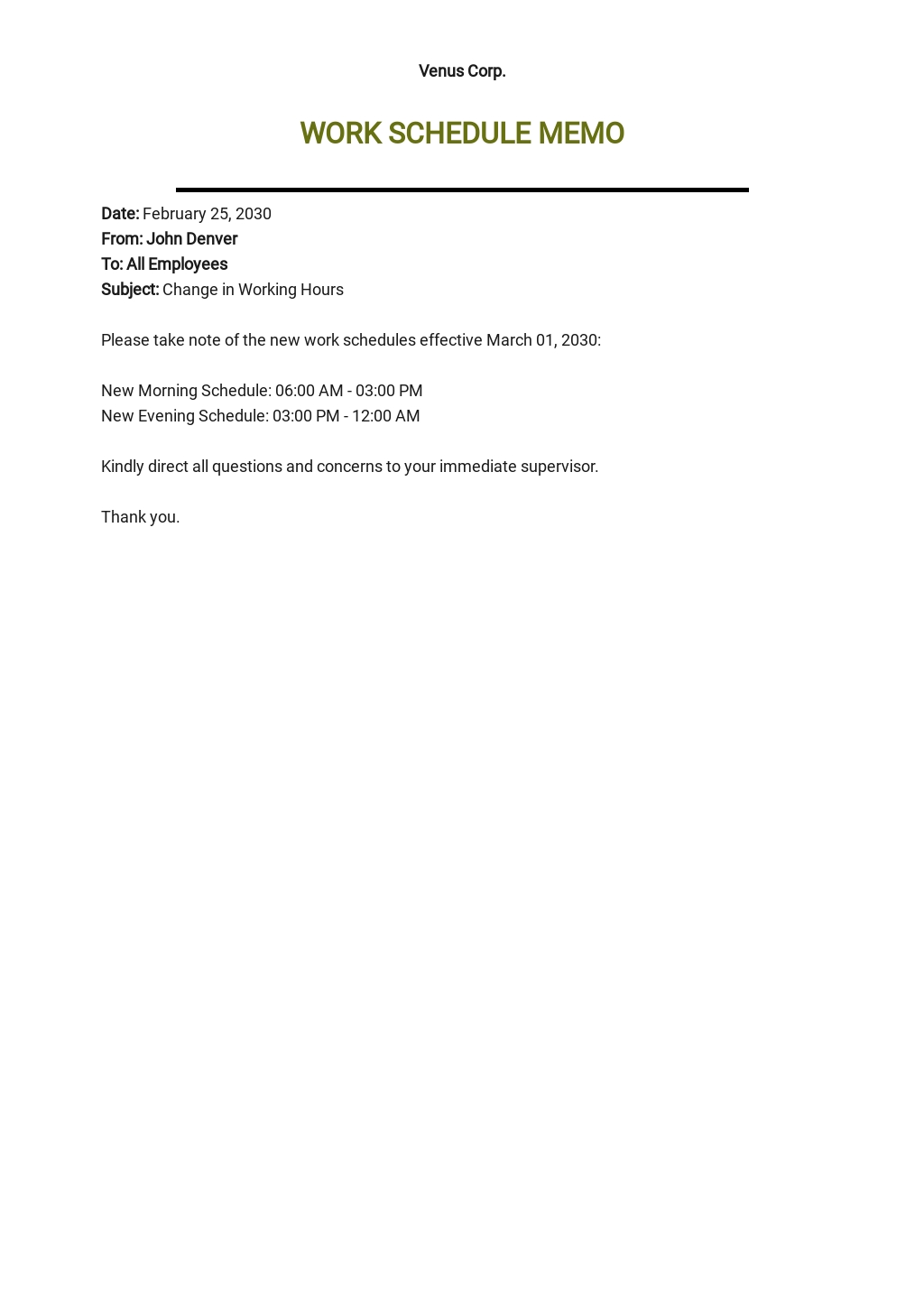 1024×1446 internal templates word google docs apple pages from www.template.net
  440×570 memo word templates downloads templatenet from www.template.net
  880×1140 inter company memo template google docs word apple pages templatenet from www.template.net
  1024×713 sample internal memo employees template word from www.template.net
  585×650 internal memo template hot sex picture from www.hotzxgirl.com
  2483×3222 internal office memo from freewordtemplates.net
  626×626 premium psd company internal memo template from www.freepik.com
  1213×1585 internal office memo template inter office memo template from williamson-ga.us
  585×650 professional memo template word google docs documents from www.template.net
  705×906 internal memo template from lesboucans.com
  1024×1446 sample internal memo employees template google docs from www.template.net
  585×585 internal memo templates google docs ms word pages from www.sampletemplates.com
  440×622 template designed creating companys internal memo employees from www.pinterest.ca
  580×641 company memo templates google docs ms word pages from www.sampletemplates.com
  600×730 internal memo templates ms word google docs from www.sampletemplates.com
  1200×1696 staff discount memo template edit from www.template.net
  794×1124 internal memo template plan staff christmas party from www.bizzlibrary.com
 Related For Internal Company Memo Template Word
