
Memo For Office Internet Downtime
Subject: Important: Scheduled Internet Downtime – [Date] – Impacting Productivity To: All Employees This memo serves to inform you of a scheduled internet downtime that will occur on [Date of Downtime], from [Start Time] to [End Time]. This maintenance is necessary to [Briefly explain the reason for the downtime, e.g., upgrade our network infrastructure, perform essential security updates, migrate to a new service provider]. We understand that internet access is critical for many of your daily tasks, and we apologize for any inconvenience this may cause. The purpose of this planned downtime is to ensure the long-term stability, security, and performance of our internet connectivity. By proactively addressing potential issues and upgrading our systems, we aim to minimize the risk of unexpected outages and maintain a reliable online environment for everyone. **Impact of the Downtime:** During the scheduled maintenance window, you can expect the following: * **No Internet Access:** All devices connected to the company network, including desktops, laptops, smartphones, and tablets, will be unable to access the internet. This includes websites, cloud-based applications, email, and online communication platforms. * **Internal Network Services:** While internet access will be unavailable, some internal network services may still be accessible, depending on the nature of the upgrade. Please check with your IT department if access to specific internal resources is crucial during the downtime. Generally, services hosted locally on the network, such as file servers or certain internal applications, might remain operational. * **Telephony:** If your phone system relies on Voice over Internet Protocol (VoIP), you may experience disruptions in telephone service. Please confirm with your IT or Telecommunications department regarding the expected impact on phone functionality and alternative communication methods during the downtime. Some departments might have implemented backup phone lines or alternative communication protocols to mitigate this impact. * **Meeting Disruptions:** Any scheduled online meetings or webinars during the downtime will be significantly impacted. Please reschedule these meetings or make alternative arrangements to accommodate the lack of internet connectivity. Consider using alternative communication channels like telephone conferencing or in-person meetings if feasible. * **Cloud-Based Applications:** Access to cloud-based applications such as [List examples: Salesforce, Google Workspace, Microsoft 365, project management software, CRM systems] will be unavailable. Ensure you save any work in progress and log out of these applications before the downtime begins to avoid data loss. * **Payment Processing:** If your department relies on online payment processing systems, please take necessary precautions to avoid disruptions. Consider postponing transactions until after the maintenance window or using alternative payment methods if available. Communicate proactively with customers about the potential delay in processing payments. **Preparation and Contingency Plans:** We encourage you to take the following steps to prepare for the internet downtime: * **Save Your Work:** Save all your work in progress to your local device or a shared drive before the downtime begins. This will prevent data loss and ensure you can resume your work quickly once the internet connection is restored. * **Download Necessary Files:** Download any files or documents you may need during the downtime in advance. This includes reference materials, templates, or any other resources required for your tasks. * **Plan Alternative Activities:** Identify tasks that can be completed offline or require minimal internet access. This could include administrative tasks, document review, strategic planning, or professional development activities. Consider tasks that can be done with printed materials or internal software that doesn’t rely on an internet connection. * **Communicate with Clients and Customers:** If your role involves interacting with clients or customers, proactively inform them about the scheduled downtime and potential delays in communication or service delivery. Provide alternative contact information or set up an out-of-office message explaining the situation. * **Log Out of Applications:** To avoid potential errors or data corruption, log out of all cloud-based applications and websites before the downtime begins. * **Charge Your Devices:** Ensure your laptops, tablets, and smartphones are fully charged before the downtime to maximize their usability if needed for offline tasks. * **Consider Personal Hotspots (if permitted):** Depending on company policy, you may be able to use a personal mobile hotspot as a temporary workaround. However, be aware of data usage limits and potential security risks. Consult with your IT department regarding acceptable usage policies for personal hotspots. * **Coordinate with Your Team:** Discuss with your team how to best manage the downtime and ensure essential tasks are covered. Delegate responsibilities and identify backup plans for critical processes. **During the Downtime:** * Refrain from attempting to access the internet, as this will not be possible. * Focus on offline tasks and activities that can be completed without internet connectivity. * If you experience any unexpected issues with internal network services, contact the IT Help Desk. * Do not attempt to troubleshoot the internet connection yourself. **After the Downtime:** Once the maintenance is complete, the internet connection should be restored automatically. If you experience any difficulties connecting to the internet after the scheduled downtime, please follow these steps: * **Restart Your Device:** Restart your computer, laptop, or mobile device to ensure it reconnects to the network properly. * **Check Your Network Connection:** Verify that your device is connected to the correct Wi-Fi network and that the network settings are configured correctly. * **Contact the IT Help Desk:** If you are still unable to connect to the internet after restarting your device and checking your network connection, contact the IT Help Desk for assistance. Provide them with details about the problem you are experiencing, including the device you are using and any error messages you are seeing. **IT Support:** The IT Help Desk will be available to answer your questions and provide support during and after the scheduled downtime. You can reach them by phone at [Phone Number] or by email at [Email Address]. Please be patient, as response times may be longer than usual due to increased demand. We understand that this downtime may disrupt your workflow, and we appreciate your understanding and cooperation. We are committed to minimizing the impact and ensuring that the internet connection is restored as quickly as possible. We believe this proactive maintenance is essential for maintaining a reliable and secure network environment for the entire company. We will send a follow-up communication once the maintenance is complete and the internet connection is fully restored. Thank you for your attention to this matter. Sincerely, [Name] [Title] [Department]
 428×554 office memo sample edit print cocodoc from cocodoc.com
  600×730 system downtime notification template from lattermanband.com
  1241×1614 office memo template sampletemplatess sampletemplatess from www.sampletemplatess.com
  419×539 sample memo office timings hr memo examples samples from tukioka-clinic.com
  520×634 system downtime notification template letter template from lattermanband.com
  600×351 ways prevent wi fi downtime office from www.nsiserv.com
  600×523 sample office memo document template from noellawee.blogspot.com
 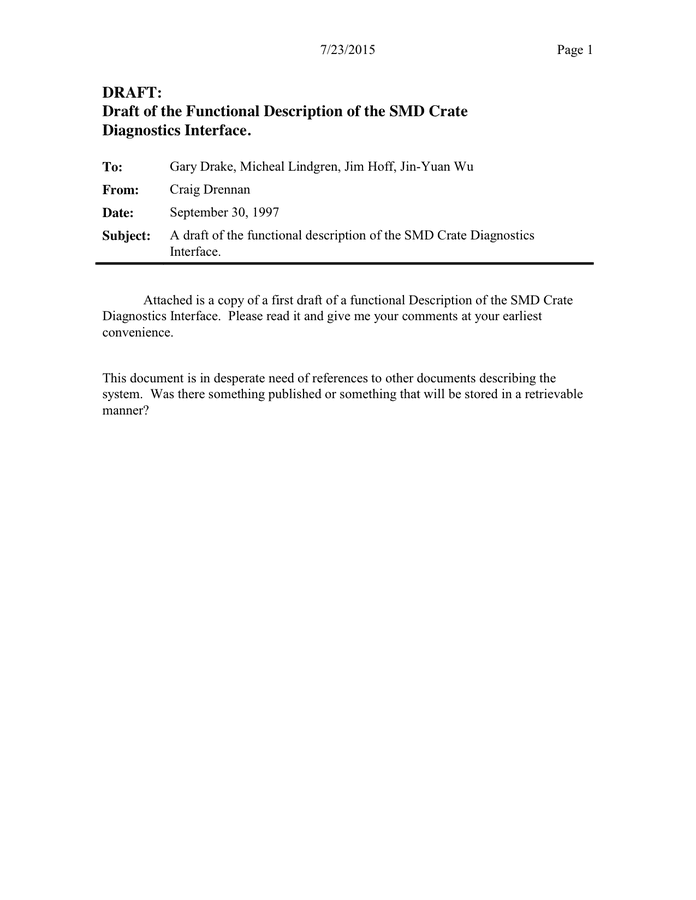 696×900 interoffice memo word formats from www.dexform.com
  768×1024 office memo template templates word excel from www.formsbirds.com
  640×829 system downtime notification template printable from www.printabletemplateslab.com