
How To Calculate Credit Card Interest In Excel
“`html
Calculating Credit Card Interest in Excel
Understanding how credit card interest is calculated is crucial for responsible financial management. Credit card companies use a daily periodic rate to determine the interest charged on your outstanding balance. While the calculations can seem complex, Microsoft Excel provides powerful tools to simplify the process. This guide will walk you through the steps involved in calculating credit card interest in Excel, using different scenarios and formulas.
Key Concepts
Before diving into Excel, let’s define the key terms:
- Annual Percentage Rate (APR): The annual interest rate charged on your credit card balance.
- Daily Periodic Rate (DPR): The daily interest rate, calculated by dividing the APR by the number of days in a year (usually 365). This is the rate applied to your daily balance.
- Average Daily Balance (ADB): The sum of your daily balances over a billing cycle, divided by the number of days in the billing cycle. This is the balance the interest is usually calculated on.
- Billing Cycle: The period between two billing statements, typically around 30 days.
- Outstanding Balance: The amount you owe on your credit card at any given time.
Calculating the Daily Periodic Rate (DPR) in Excel
The first step is to calculate the Daily Periodic Rate. This is the foundation for all further calculations.
- Enter the APR: In an Excel cell (e.g., A1), enter the APR as a percentage. For example, if your APR is 18%, enter
18%or0.18. - Calculate the DPR: In another cell (e.g., B1), use the following formula:
=A1/365. This divides the APR by 365 (days in a year) to find the daily interest rate. - Format as Percentage (Optional): Select cell B1, go to the “Home” tab, and click the “%” symbol to format the result as a percentage. You can also increase the number of decimal places displayed to see a more precise rate.
Calculating the Average Daily Balance (ADB) in Excel
Calculating the ADB manually can be tedious, but Excel can automate this process. Let’s assume you have the following data for a billing cycle:
| Date | Balance |
|---|---|
| Day 1 | $1000 |
| Day 8 | $1200 (Made a purchase) |
| Day 15 | $500 (Made a payment) |
| Day 30 | $500 |
Here’s how to calculate the ADB in Excel:
- Set up the Data: In Excel, create columns for “Day,” “Balance,” and “Days at Balance.”
- Day: Enter the day number of the billing cycle (1, 8, 15, 30).
- Balance: Enter the balance amount for each day ($1000, $1200, $500, $500).
- Days at Balance: This column calculates how many days the balance remained constant. For example:
- Day 1: 7 days (until Day 8)
- Day 8: 7 days (until Day 15)
- Day 15: 15 days (until Day 30)
- Calculate the Weighted Balance: Create a new column called “Weighted Balance.” In the first row (e.g., cell D2), enter the formula
=B2*C2(assuming Balance is in column B and Days at Balance is in column C). This multiplies the balance by the number of days it remained constant. Drag this formula down to apply it to all rows. - Sum the Weighted Balances: In a cell below the “Weighted Balance” column (e.g., D5), use the
=SUM(D2:D4)function to add up all the values in the “Weighted Balance” column. This gives you the total sum of all daily balances during the billing cycle. - Calculate the ADB: In another cell (e.g., E2), divide the total weighted balance by the number of days in the billing cycle (usually 30 or 31). For example:
=D5/30. The result is your Average Daily Balance.
Calculating the Interest Charge in Excel
Now that you have the DPR and the ADB, you can calculate the interest charge for the billing cycle.
- Retrieve DPR and ADB: Ensure you have the DPR (calculated earlier) in a cell (e.g., B1) and the ADB in another cell (e.g., E2).
- Calculate the Interest: In a new cell (e.g., F2), use the following formula:
=E2*B1*30. This multiplies the Average Daily Balance by the Daily Periodic Rate and then by the number of days in the billing cycle (30 in this example). Adjust the “30” if your billing cycle is longer or shorter. The result is the estimated interest charge for that billing cycle.
Putting It All Together (Example in Excel)
Here’s a table summarizing the formulas and cell references in Excel:
| Label | Cell | Formula | Description |
|---|---|---|---|
| APR | A1 | (Enter APR as a percentage, e.g., 18%) | Annual Percentage Rate |
| DPR | B1 | =A1/365 |
Daily Periodic Rate |
| Day | A2:A4 (and onwards) | (Enter day numbers, e.g., 1, 8, 15) | Day of the billing cycle |
| Balance | B2:B4 (and onwards) | (Enter daily balances, e.g., 1000, 1200, 500) | Balance amount on each day |
| Days at Balance | C2:C4 (and onwards) | (Enter number of days at each balance, e.g., 7, 7, 15) | Number of days the balance remained constant |
| Weighted Balance | D2:D4 (and onwards) | =B2*C2 (adjust row numbers as needed) |
Balance multiplied by days at that balance |
| Total Weighted Balance | D5 | =SUM(D2:D4) (adjust range as needed) |
Sum of all weighted balances |
| ADB | E2 | =D5/30 (adjust for billing cycle length) |
Average Daily Balance |
| Interest Charge | F2 | =E2*B1*30 (adjust for billing cycle length) |
Estimated interest charge for the billing cycle |
Important Considerations
- Transaction Timing: Credit card companies often have cutoff times for transactions. A payment made after the cutoff might not be reflected in the balance until the next day. This can slightly affect the ADB.
- Fees: This calculation only accounts for interest charges. It does not include late fees, over-limit fees, or other charges that may be added to your account.
- Compounding: Credit card interest is usually compounded daily. This means the interest accrued each day is added to the balance, and interest is then calculated on the new, higher balance the next day. The formulas provided here give a close estimate, but the actual interest charged may vary slightly due to compounding.
- Minimum Payment: Paying only the minimum payment can lead to significant interest charges over time. Try to pay more than the minimum whenever possible to reduce your debt faster and save on interest.
- Grace Period: If you pay your balance in full by the due date, you may not be charged interest. This is known as a grace period. However, if you carry a balance from month to month, you will lose the grace period, and interest will be charged from the date of each purchase.
Conclusion
By using Excel to calculate credit card interest, you gain a better understanding of how your credit card debt grows and how to manage it effectively. Experiment with different APRs, balances, and payment amounts in your Excel spreadsheet to see how they impact your interest charges. This knowledge will empower you to make informed financial decisions and avoid unnecessary debt.
“`
 617×800 calculate credit card interest excel steps exceldemy from www.exceldemy.com
  717×347 calculate credit card interest set excel kudospaymentscom from kudospayments.com
  2560×1920 calculate credit card payments excel steps credit from sample.gelorailmu.com
  300×300 calculate credit card interest excel pocketsense from pocketsense.com
  1054×798 ways calculate credit card interest excel wikihow from www.wikihow.com
  474×355 excel tutorial calculate credit card interest excel excel from dashboardsexcel.com
  670×446 easy steps calculate credit card interest excel taxes from irs-taxes.org
  944×708 mastering formulas excel calculate credit card interest from dashboardsexcel.com
 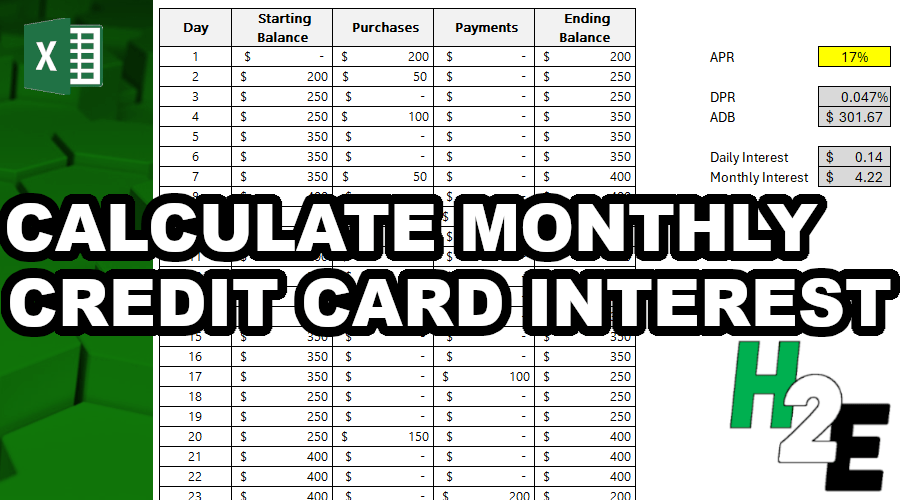 900×500 calculate credit card interest howtoexcelnet from howtoexcel.net
  640×538 calculate credit card payments excel saplingcom from www.sapling.com
  1268×768 credit card interest calculator spreadsheet db excelcom from db-excel.com
  1280×720 credit card interest calculator excel template professional template from www.xfanzexpo.com
  1932×907 calculate simple interest excel spreadcheaters from spreadcheaters.com
  595×487 credit card interest calculator excel template midi boxcom from www.midi-box.com
  3300×1650 calculate credit card interest excel from classzonebrowning.z21.web.core.windows.net
  700×400 calculate interest rate loan excel formula exceljet from exceljet.net
  811×500 calculate interest payments period total excel formulas from www.extendoffice.com
  247×350 credit card interest excel spreadsheet tpt from www.teacherspayteachers.com
  1600×1067 calculate credit card interest techstory from techstory.in
  3200×2410 calculate interest payment excel easy steps from www.wikihow.com
  1280×720 credit card interest calculator excel template mightyprintingdealscom from www.mightyprintingdeals.com
 Related For How To Calculate Credit Card Interest In Excel
